Connect your social channels
Authorize channels you own or manage to make their available private insights accessible in Socialstats.
Using your phone? Open these settings in the Socialstats app, or use the links below on a computer.
Open Profile Settings → Channels. Check the public channel URL, then use its connection action. Sign in with the account that manages the intended YouTube channel, Instagram account, Facebook Page or TikTok account and complete the provider’s prompts.
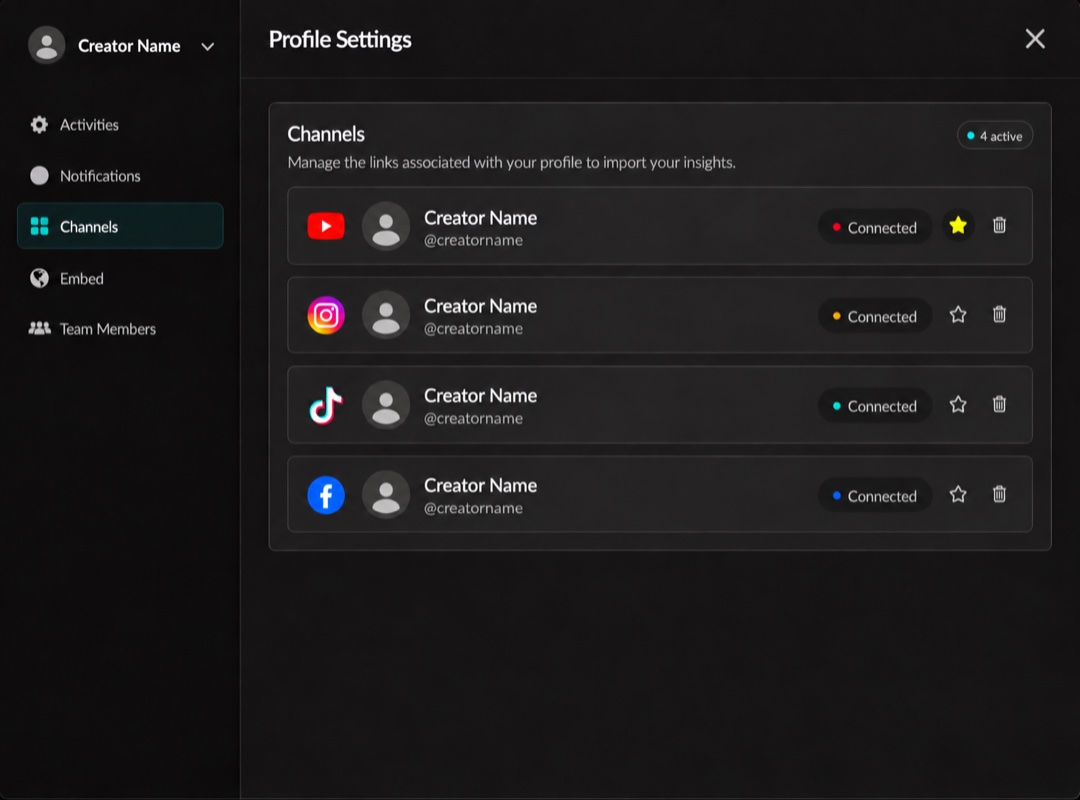
Linked platforms and their connection status. Click the image to enlarge it.
For Meta, select the correct Facebook Page and associated Instagram account when asked. Having a public URL attached to the creator is not the same as authorizing it.
A connection grants the insights the platform makes available; it cannot recover every historical, deleted or private post. If someone else owns the channel, use the shared authorization invitation when offered, so they can approve their own channel without giving you their login.
See reconnecting for errors or expired access.